
Your food is excellent. The service is warm. The atmosphere is just right. Yet your Google Business profile sits at 4.1 stars with 23 restaurant reviews — while the burger place two streets over has 340. Sound familiar?
The problem is rarely the quality of the experience. It's the gap between a happy customer walking out the door and that same customer opening Google an hour later. Most people simply forget. And the ones who do remember to leave reviews are, statistically, more often the unhappy ones.
Carbonara App's Restaurant Reviews feature closes that gap automatically — capturing positive experiences at the right moment and sending them straight to your Google profile.

Generated by AI
Setting Restaurant Reviews Up in the Manager Portal
The Restaurant Reviews with Customer Feedback are available to VIP and PX plan users and are managed entirely from the Carbonara Manager Portal.
Here's where to find it:
- Log into the Manager Portal
- Go to Online Reservations → General
- Then, look for the "Customer Feedback" tab
From that tab you can:
- Enable or disable the automatic feedback email
- Toggle Google forwarding — choose whether reviews of 4 stars or above are automatically forwarded to Google
- Link your Google Place ID (this is usually auto-linked when you create your account, but you can update it manually here)
- Review all your collected feedback in one place
- Export your data — useful for tracking satisfaction trends, training, or reporting
That's it. Once it's on, it runs in the background for every reservation you seat.
Why Restaurant Reviews Matter More Than You Think
Google reviews are not just social proof — they are a direct ranking factor in local search. A restaurant with more recent, high-rated reviews will consistently outrank competitors in "restaurants near me" searches, regardless of how long it has been open.
The challenge for most restaurants is that getting reviews requires effort from the customer. Most satisfied diners simply don't think about it. Carbonara's feedback tool removes that barrier entirely: the email arrives at the perfect moment, the rating is effortless, and the path to Google is one click long.
Critically, the 4-star filter means you're not asking every single customer to go public — only the ones who genuinely had a great experience. That keeps your Google profile's average high, and keeps your private feedback channel useful as a real management tool rather than a vanity metric.
For a deeper dive into managing your restaurant's reservation experience, see our guide on The Ultimate Guide to Online Restaurant Reservations.
Using Your Customer Feedback Data
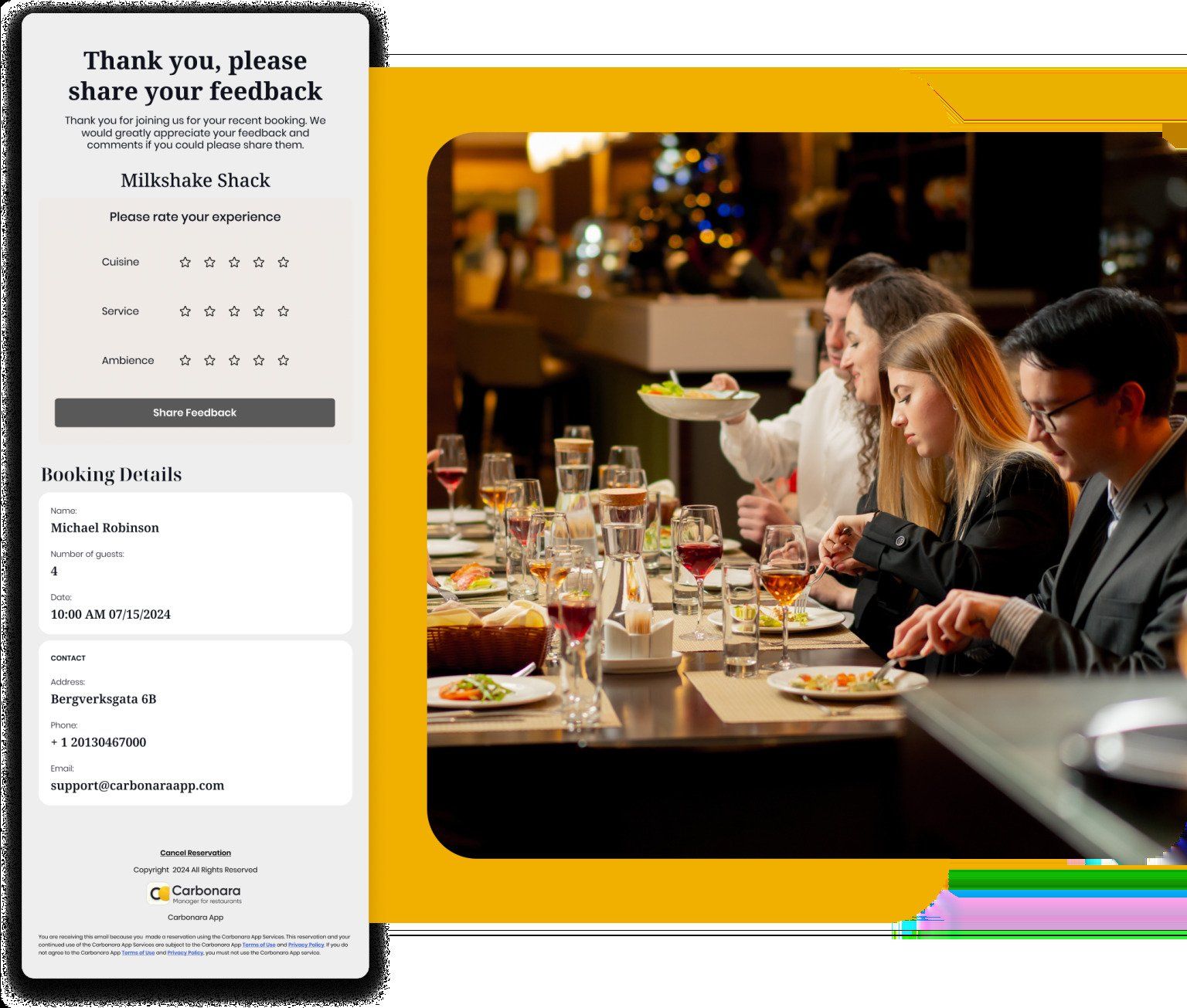
Beyond Google, the data Carbonara collects is genuinely useful internally. The breakdown by Cuisine, Ambiance, and Service gives you actionable insight — if your food scores consistently well but your service scores dip on weekend evenings, that's a staffing or training conversation, not a chef conversation.
The export function lets you pull this data for team reviews, investor reports, or simply your own quarterly benchmarking. Over time, tracking these three scores becomes a lightweight but powerful quality management system that runs on autopilot.
What About Negative Restaurant Reviews Already on Google?
The Restaurant Reviews feature helps you grow positive reviews going forward — but what about unfair or malicious ones already sitting on your profile? That's a separate (and very solvable) problem. Read our guide on how restaurants can remove malicious Google reviews for a step-by-step approach to flagging, disputing, and responding to reviews that violate Google's policies.
Frequently Asked Questions
Ready to start collecting customer feedback automatically? Create your free Carbonara account and boost your Restaurant Reviews with Customer Feedback in minutes.
The email goes out automatically 3 hours after you seat the customer in the Carbonara Manager App — enough time for the full experience to be complete, but while the memory is still fresh.
Reviews under 4 stars are stored privately in your Carbonara dashboard. They never get forwarded to Google. You can use them internally to identify issues and follow up with guests if needed.
Yes. Your Google Place ID is usually auto-linked when you create your Carbonara account. You can review or update it at any time in the Customer Feedback tab under Manager Portal.
Yes. All feedback — including individual scores for Cuisine, Ambiance, and Service — can be exported directly from the Customer Feedback tab.
The Customer Feedback feature is available to VIP and PX plan users. Check the Carbonara pricing page to see which plan is right for your restaurant.