Your team adds them
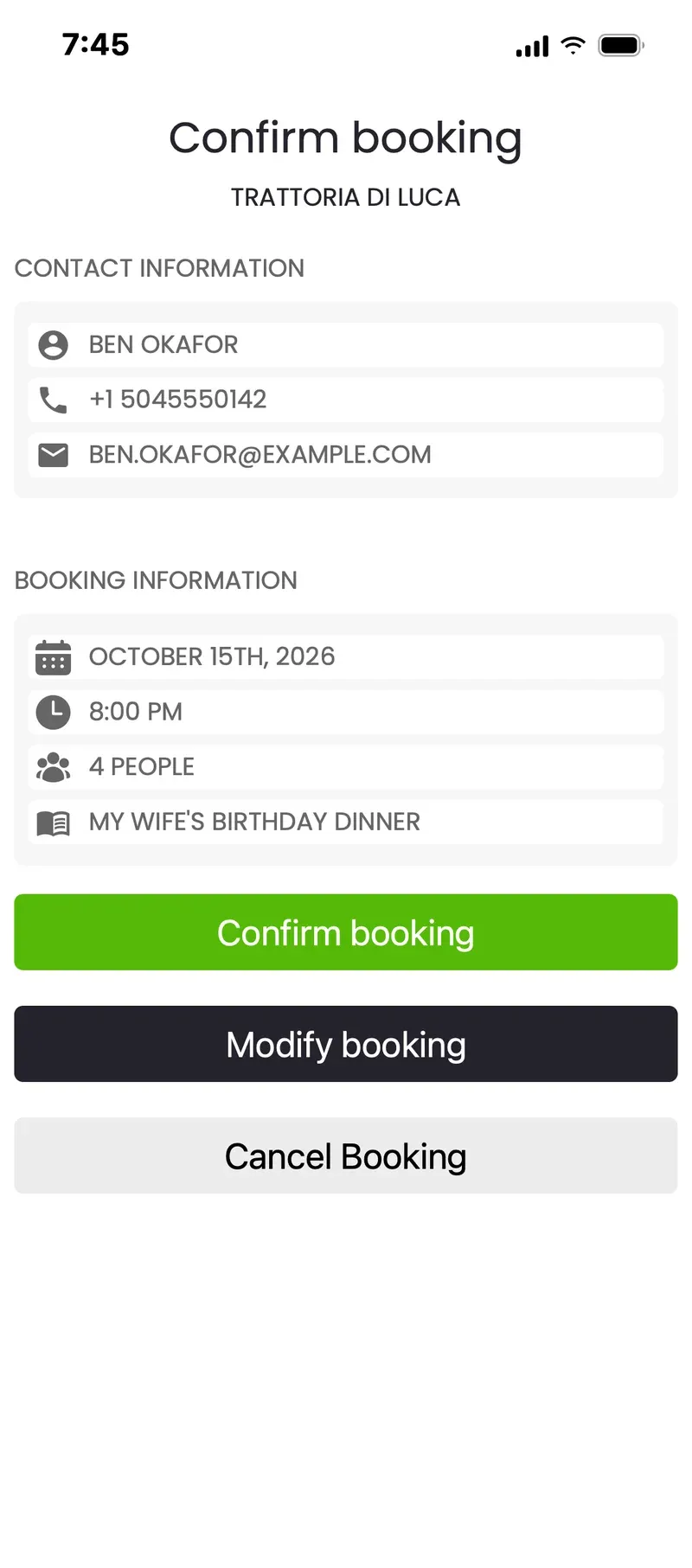
Phone calls, guests at the door, emails and messages: add a booking in seconds, with the group size, time and notes.
How most venues take bookings

Online reservations
Take reservations by phone, online and on Google, all in one book, on any phone, tablet or computer. Set up in less than five minutes, with no contract.
No contract required
Phone calls, guests at the door, emails and messages: add a booking in seconds, with the group size, time and notes.
How most venues take bookings
Online

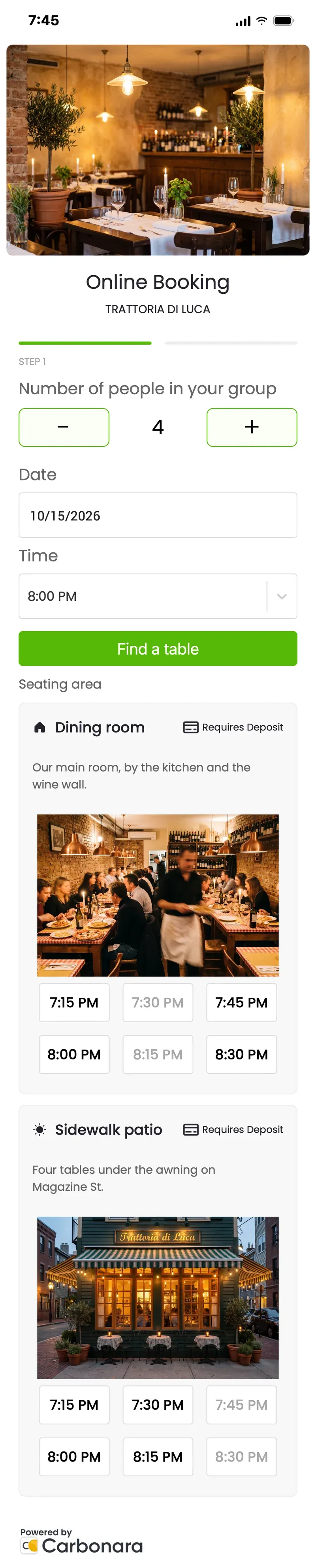
A booking button, or the booking form right on your own page.

Reserve with Google, right on your listing and in Maps.

Share it anywhere: your Instagram bio, emails, messages.
Every reservation lands in one book, so nobody double-books the window table.
The guest's side
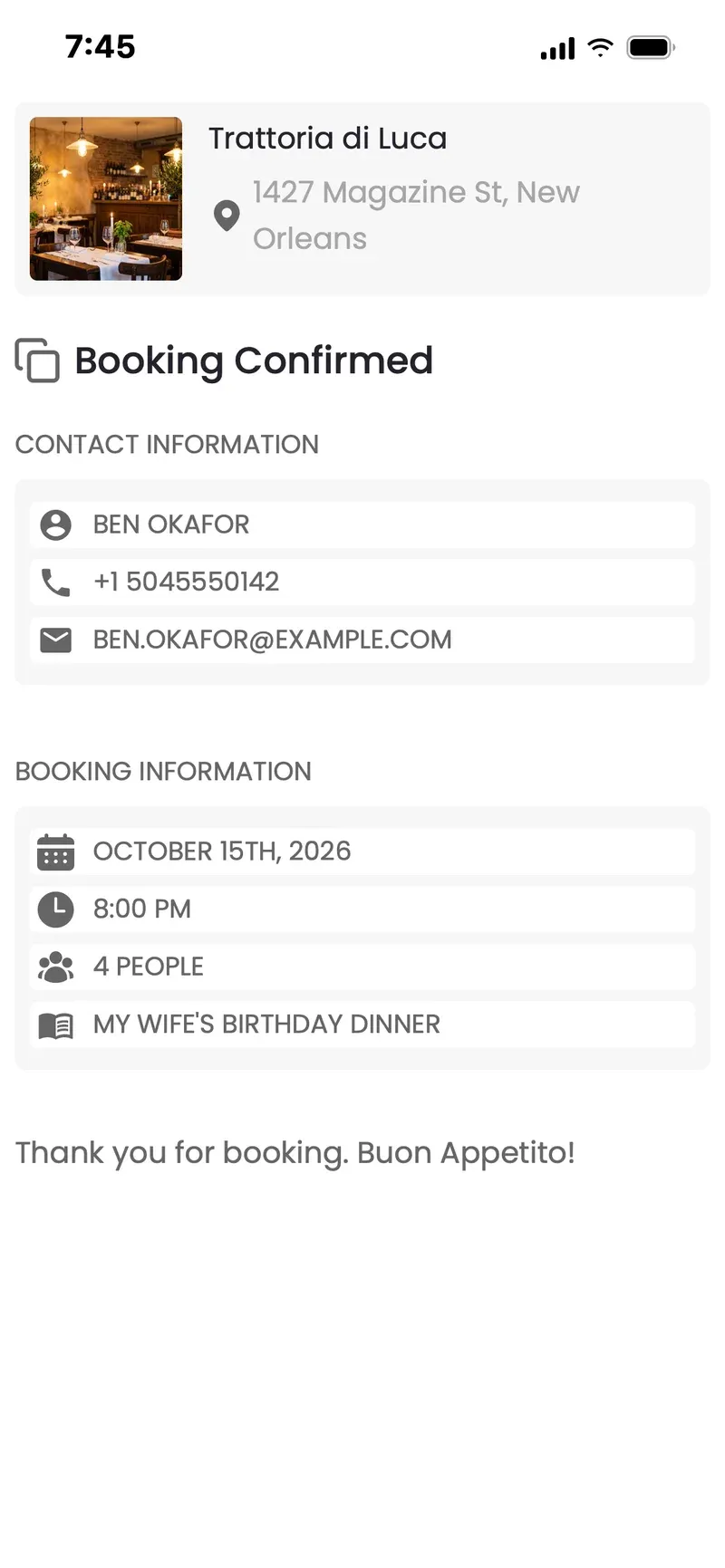
TEXT MESSAGE · NOW
You're booked: table for 4, Thursday at 8pm. We'll remind you before you arrive.
Fully featured
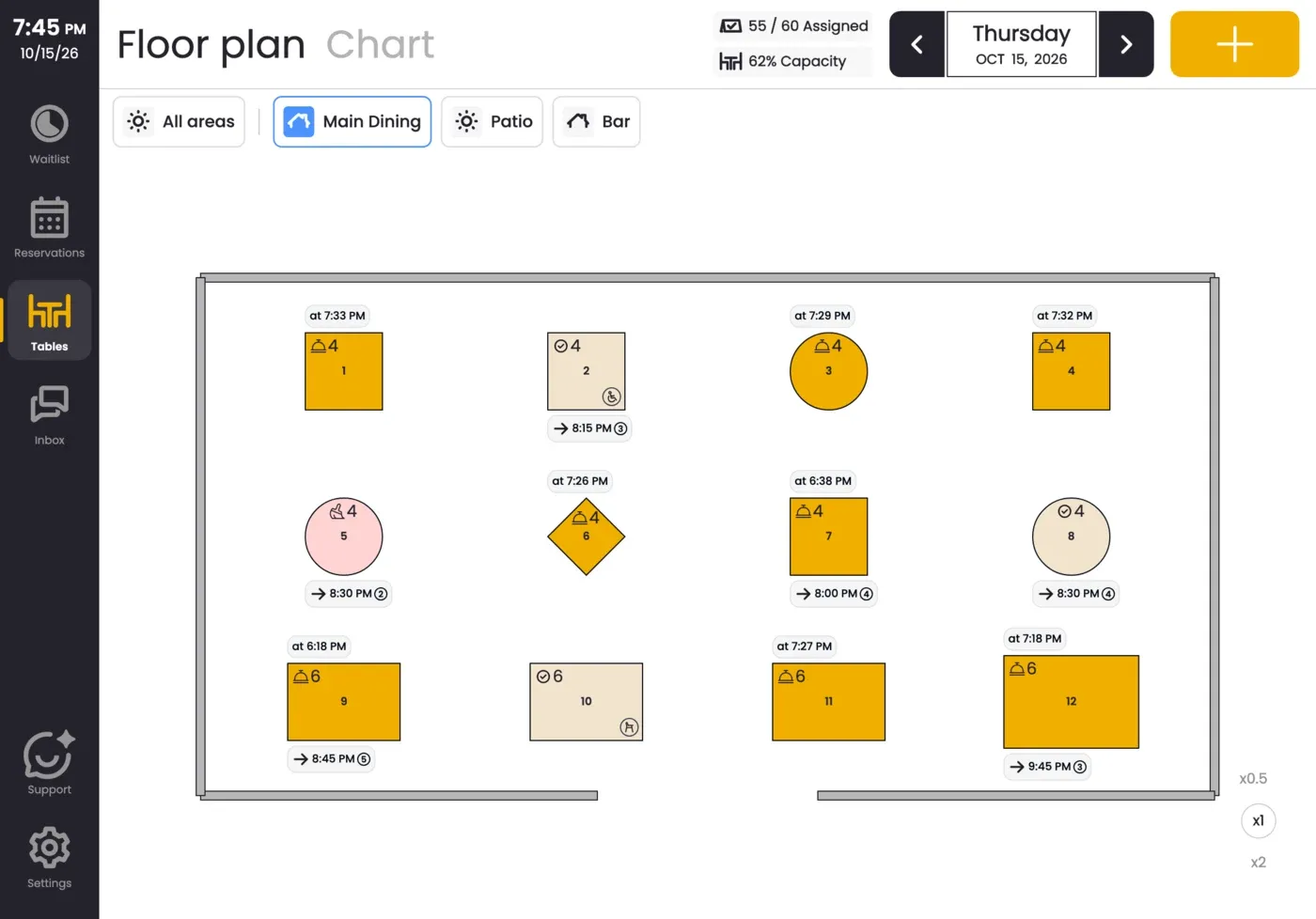
Online bookings, Reserve with Google, deposits and prepaid tickets, seating areas, a live floor plan and reminders, in one app.
Easy
Your opening hours come from Google, your floor plan from a photo, and you're taking bookings in less than five minutes.
Affordable
No booking fees. Plans from $9.99 a month, free up to 50 bookings in any 30 days, no contract required.

A reminder before they arrive, with one tap to confirm or change.

Ask for one on the days, times, group sizes or seating areas you choose.

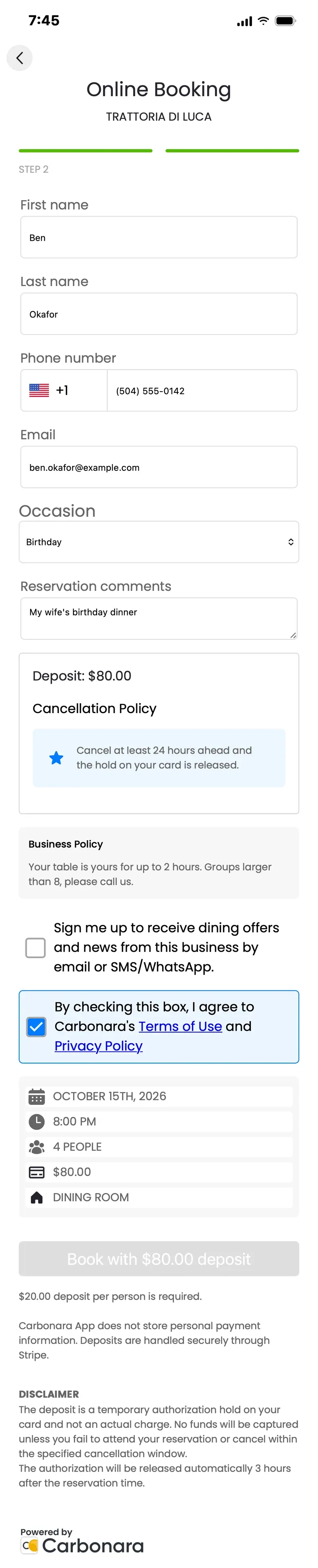
Guests agree to your booking and no-show policy before they book.
Prepaid tickets: on the dates you choose, guests pay for their reservation up front.
Messaging
Confirmations and reminders go out by text and email, and guests can reply. We remind them, so you can focus on running the room.
TEXT MESSAGE · NOW
You're booked: table for 4, Thursday at 8pm. We'll remind you before you arrive.
TEXT MESSAGE · THURSDAY
Reminder: your table for 4 tonight at 8pm. Tap to confirm or change.
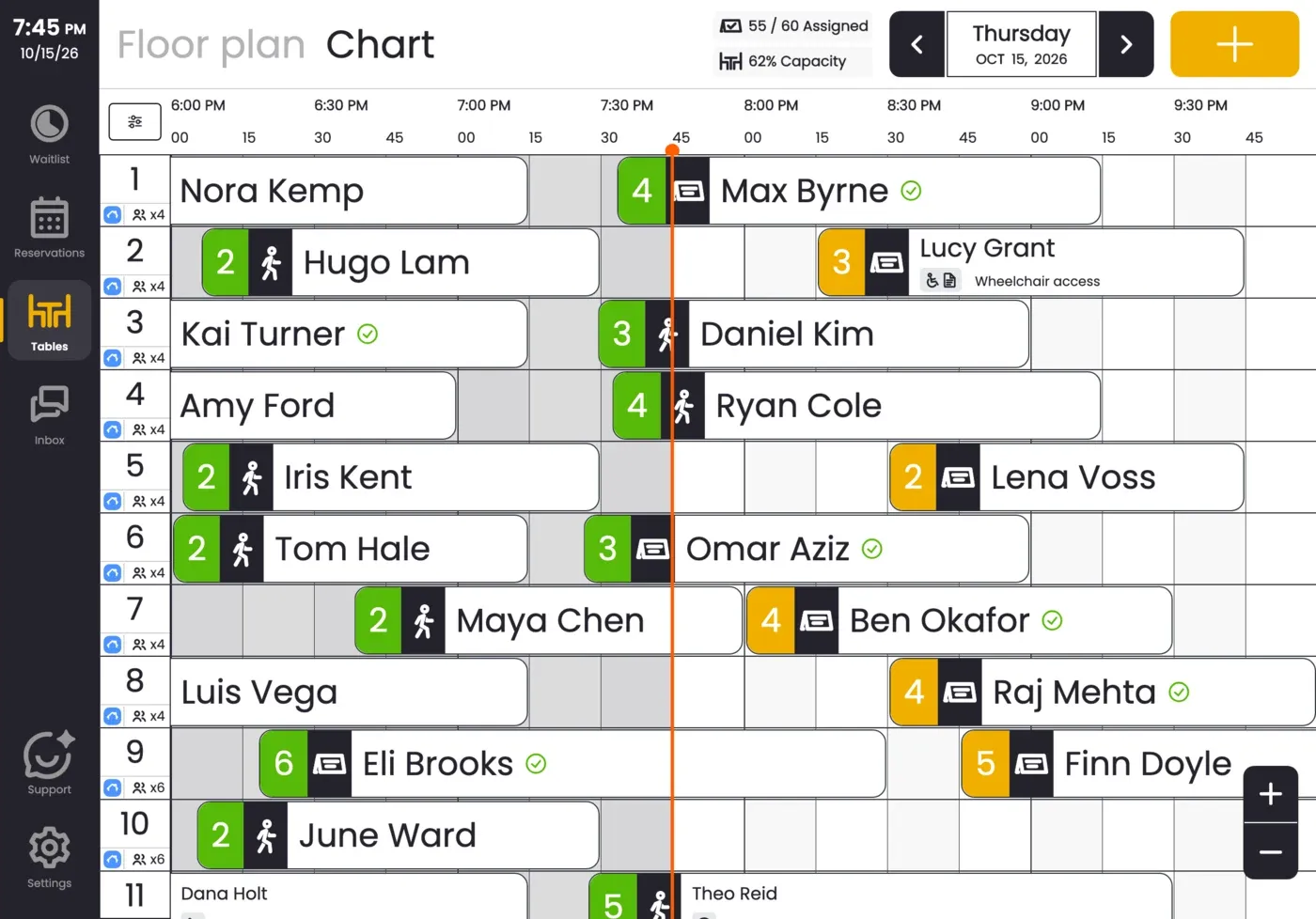
When every table is taken, add walk-ins and late callers to the waitlist for the same service, and seat them as tables free up. Extra guests you’d otherwise have turned away.

Paying for marketing tools you don't use? Keep the bookings, drop the extras and the contract.
Stop paying per cover. Take bookings on your own website and Google instead.
Have an export from your old system? Send it over and we'll help bring your bookings across.
A booking page and button for your website.
Bookings straight from Google Search and Maps.

Bar, terrace or dining room, with photos, picked by the guest.
Ask for a deposit when you want one.

Guests buy a ticket when they reserve a table, for the days, times or seating areas you choose.

Made from a photo; live on every device.
Guests confirm or change with one tap.
Occasions, wheelchairs, high chairs, kept with the booking.

Choose what guests can book: days and hours, time slots, group sizes and seating areas, how far ahead (up to a year) and how close to now, and blocked-out days or parts of days.

Covers booked, seated and no-shows, by service.

Phone, tablet or computer, all in sync.

Guests can sign up for your news when they book.
Customer stories
 “With Carbonara the switch was very smooth, barely an hour.”Ciauru Anticu OrtigiaSyracuse, Italy · Switched from Quandoo
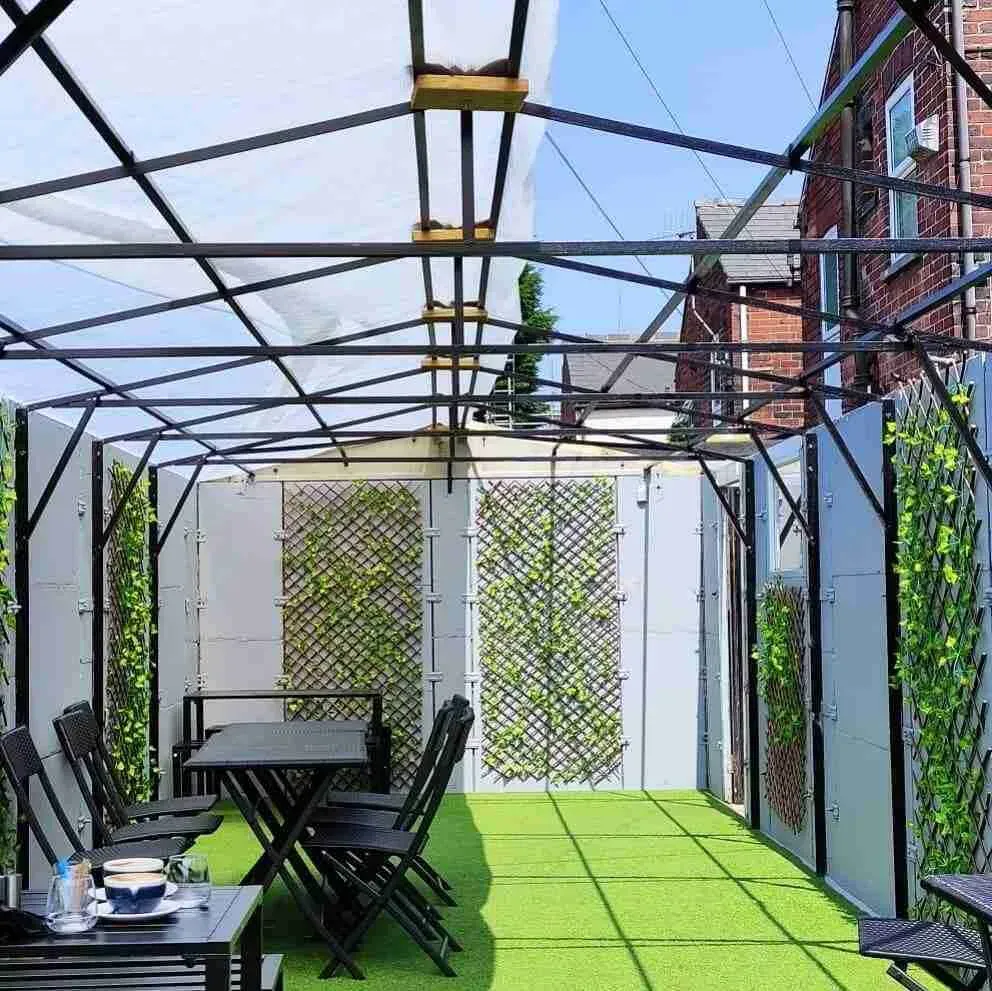 “Other companies are expensive for start-up companies.”Dysh Coffee & KitchenSheffield, England · Reservations
 “We immediately implemented Carbonara App as it is simple, clear, and easy to use.”L'Atelier de la CheffeSalon-de-Provence, France · Reservations
No booking fees and nothing to sign. Pay monthly and change your plan whenever you like.
No. There are no booking fees or per-cover fees. You pay a monthly plan. Ticket fees and message costs are listed on Pricing.
About 30 seconds: two steps, or three when you ask for a deposit or a prepaid ticket.
Yes. Reserve with Google is on the PX plan, or an add-on for any other plan.
Yes, on the VIP and PX plans. Ask for one on the days, times, group sizes or seating areas you choose.
Yes, on every plan. On the days, times or seating areas you choose, guests pay when they book their table. A small ticket fee applies, set by your plan.
Yes. Add a booking button or link, or put the booking form right on your own page, so guests book without leaving your site.
Of course. Your team adds them in seconds, into the same book as online bookings.
You’ll stop paying per cover. Most guests book where they find you, and Reserve with Google plus your own website cover the biggest channels.
Send us an export from your old system and we’ll help bring them across.
Less than five minutes.
No contract required. Pay monthly and change or stop whenever you like.
Get started in less than five minutes, or talk to us about your busiest shift.
Your team works in their own language.